
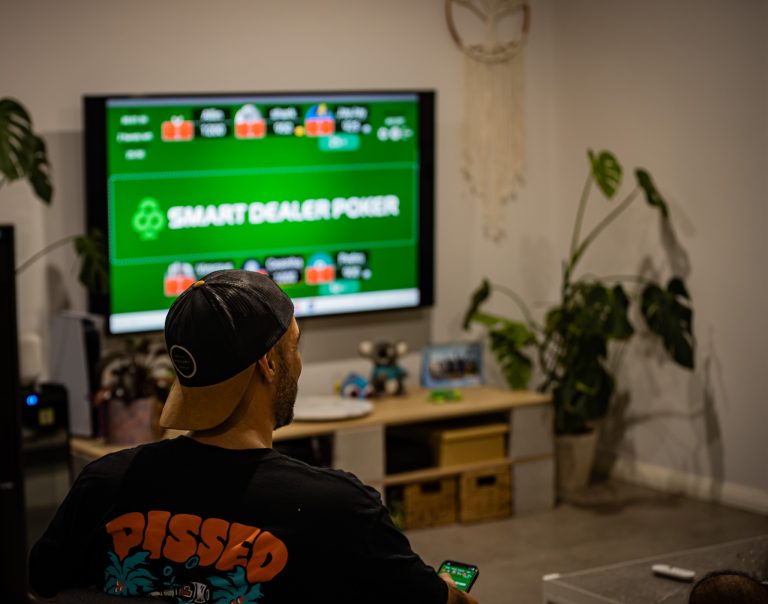
If someone’s already hosting a Smart Dealer Poker game, getting in is the easy part. There’s no account requirement, no email verification, no waiting room. Game code, seat, buy-in, you’re playing.
This is the walkthrough — every step from “your friend just sent you a code” to “you’re staring at your hole cards.” If you’ve already played, you can stop reading after the first heading. This is for the friend who’s about to join their first game and doesn’t want to be the one holding the table up.
Before you start: you need the app
The phone is your hand. Tablets, laptops, and TVs are for the shared table view, but the actual playing — looking at your cards, betting, folding — happens on your phone.
Download Smart Dealer Poker on the App Store or Google Play. It’s a quick install. You can do it in the car on the way over if you have to.
You don’t need to make an account before you join. You can play as a guest. More on that in a second.
Step 1: Get the game code from the host
Every Smart Dealer game has a 6-digit code. The host generates it when they create the game, and they can share it however they want — text message, group chat, screenshot, or just reading it out loud across the room.
If your host sent you a link instead of a code, you can tap the link and skip the code-entry step entirely. The app opens straight to the right game.
If you’re getting the code verbally, write it down on something. Trying to memorise six digits while someone’s also asking if you want a beer is how you end up entering the wrong code three times.
Step 2: Open the app and tap “Join Game”
When you open Smart Dealer, the home screen gives you two options: Host Game and Join Game.
Tap Join Game.
You’ll get a screen asking for the 6-digit code. Punch it in. The app finds the game instantly — if the code is wrong or the game’s already finished, you’ll know straight away.
Step 3: Sign in or play as a guest
Here’s where you make a quick decision. The app will ask whether you want to sign in or continue as a guest.
Continue as a guest if:
- You’re at someone’s house, the game is starting, and you just want to play.
- You’re not sure you’ll use the app again.
- You don’t want to bother with passwords on a Friday night.
Sign in (Google, Apple, or Facebook — whichever’s quickest) if:
- You want your stats and game history saved.
- You’re part of a club or want to join one.
- You play often enough that having an avatar and a screen name your friends recognise is worth thirty seconds of setup.
You can switch from guest to signed-in later. There’s no penalty for guesting your first game and signing up before your second.
If you’re guesting, the app will ask for a display name. Pick something your table will recognise. “Player_4729” is unhelpful when there are six of you. Your first name, or whatever your friends call you, is the right answer.
Step 4: Pick your seat
Once you’re in, you’ll see the table. Empty seats are visible; taken seats show whoever’s already joined.
Tap an empty seat. That’s your seat now.
If the host has set up the game with a specific number of seats — say, 6-max or 9-max — you can only sit in those positions. If they’ve left it more flexible, you can sit anywhere that’s open.
A few notes:
- Try to sit where your phone won’t bump into someone else’s. Practical, but real.
- The seat numbers don’t really matter for play. Position relative to the dealer button matters, but the button rotates every hand, so don’t overthink which seat you grab.
- If your friends are already seated, you can sit next to them. The app doesn’t care.
Step 5: Buy in
The host will have set a buy-in amount when they created the game. When you take a seat, you’ll be prompted to confirm your buy-in.
This is play-money chips. Smart Dealer doesn’t handle real money — no deposits, no withdrawals, no transfers. The chip count exists so the game has stakes the table cares about, but the only “money” changing hands is whatever you and your friends agreed on in person before you started.
Confirm the buy-in and you’ll see your chip stack appear on your phone and at your seat on the shared screen.
You’re in.
Step 6: Wait for the host to start the game
Once everyone’s seated and bought in, the host hits start. The first hand deals automatically — no shuffling, no “who’s the dealer,” no calling out blinds. Cards land on each player’s phone. The flop, turn, and river will appear on the shared screen as the hand plays out.
If you’re the small or big blind on the first hand, the app will post your blind for you. You don’t need to do anything.
When it’s your turn to act, your phone vibrates and the action buttons light up: Fold, Check or Call (depending on whether there’s been a bet), and Raise. Tap what you want to do. There’s a slider for raise sizes and quick-tap buttons for common amounts (min raise, pot, all-in).
You’ll have an action timer — the host sets the length, usually 30 or 60 seconds. The app will warn you when you’re running low. If you don’t act in time, your hand auto-folds. So if you need to step away, fold the hand or sit out before you go.
Joining mid-game
If the game’s already started and the host has late registration on, you can still join. Same process — enter the code, pick a seat, buy in. You’ll be dealt into the next hand.
If late registration is closed, you can still spectate from a browser at gameplay.smartdealer.poker. Same code, browser only, no app needed. You’ll see the action without seeing anyone’s hole cards.
What if the connection drops?
The phone disconnecting is the main thing that goes wrong in any home poker app. If your Wi-Fi cuts out or your phone reboots mid-hand, here’s what happens:
- You won’t lose your seat or your chips. The seat holds, the chips stay where they are.
- The hand keeps going. If it’s your turn to act when you disconnect, the action timer keeps running. If it expires, your hand folds.
- Reconnect by reopening the app. It picks up where you left off automatically.
If your home Wi-Fi is unreliable, switch to mobile data for poker night. The app uses very little bandwidth — you don’t need a strong signal, just a stable one.
A quick checklist before the host hits start
If you’re joining your first game, run through this once:
- App installed and up to date
- Code entered, signed in or guesting
- Display name set to something your table recognises
- Seated, bought in, chips visible
- Phone charged or plugged in (a long session will eat your battery)
- Notifications on so you don’t miss your turn
That’s it. Total time, if everything’s already installed and you have the code: well under thirty seconds.
A note for hosts
If you’re the one running the game and people are still struggling to join after a few minutes, the usual culprits are:
- They typed the code wrong (it happens — verbal codes get misheard)
- They’re on the wrong app (there’s more than one poker app called something similar)
- They’re trying to join from a tablet or laptop instead of their phone
The fix is almost always to send them a join link instead of a code. Tap the share button next to the game code in the app — it generates a link that opens straight to the game. No code entry, no confusion.
New to hosting? Read How to Host a Game and Invite Friends for the other side of the table.
Already playing and want to share your hands? See Hand Replays: Settle Every Argument.